Job-cost tracking for commercial GCs

Type a quote, click once, and your whole job tracks itself.

Every sub, every expense, every payment in and out — with AIA G702/G703 draws and retainage built in. The spreadsheet replacement built with a working Texas GC.

Book a 15-minute demo We'll build one of YOUR real jobs into it, free.
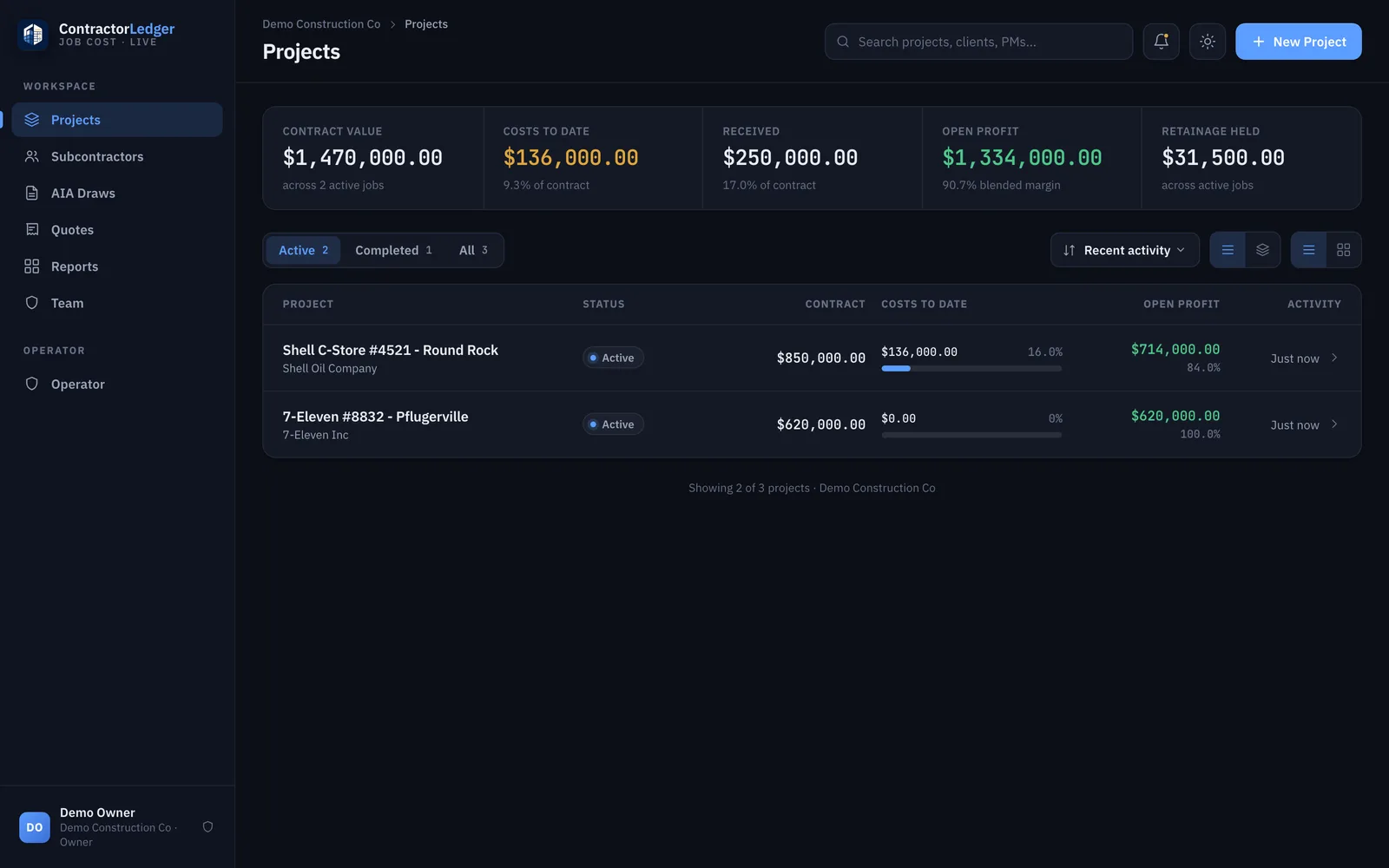
ContractorLedger dashboard — portfolio job costing across active jobs, with contract value, costs to date, open profit, and retainage held.
Who it's for

Built for the GC still running jobs on Excel and QuickBooks.

Small and mid-size commercial general contractors — owner-run shops doing roughly $2M–$30M a year — where the owner is the estimator, the PM, and the bookkeeper, and every pay app means a late night in a spreadsheet.

You bid in Excel

Your quote already has every line item. It shouldn't have to be retyped three more times before the job closes out.

QuickBooks isn't job costing

It tells you what you spent — not what each sub still has coming, what's retained, or where the job actually stands.

Pay apps eat your month-end

Rebuilding a G702/G703 by hand, every draw, on every job. That math should do itself.

What it does

One ledger, from first quote to final retainage check.

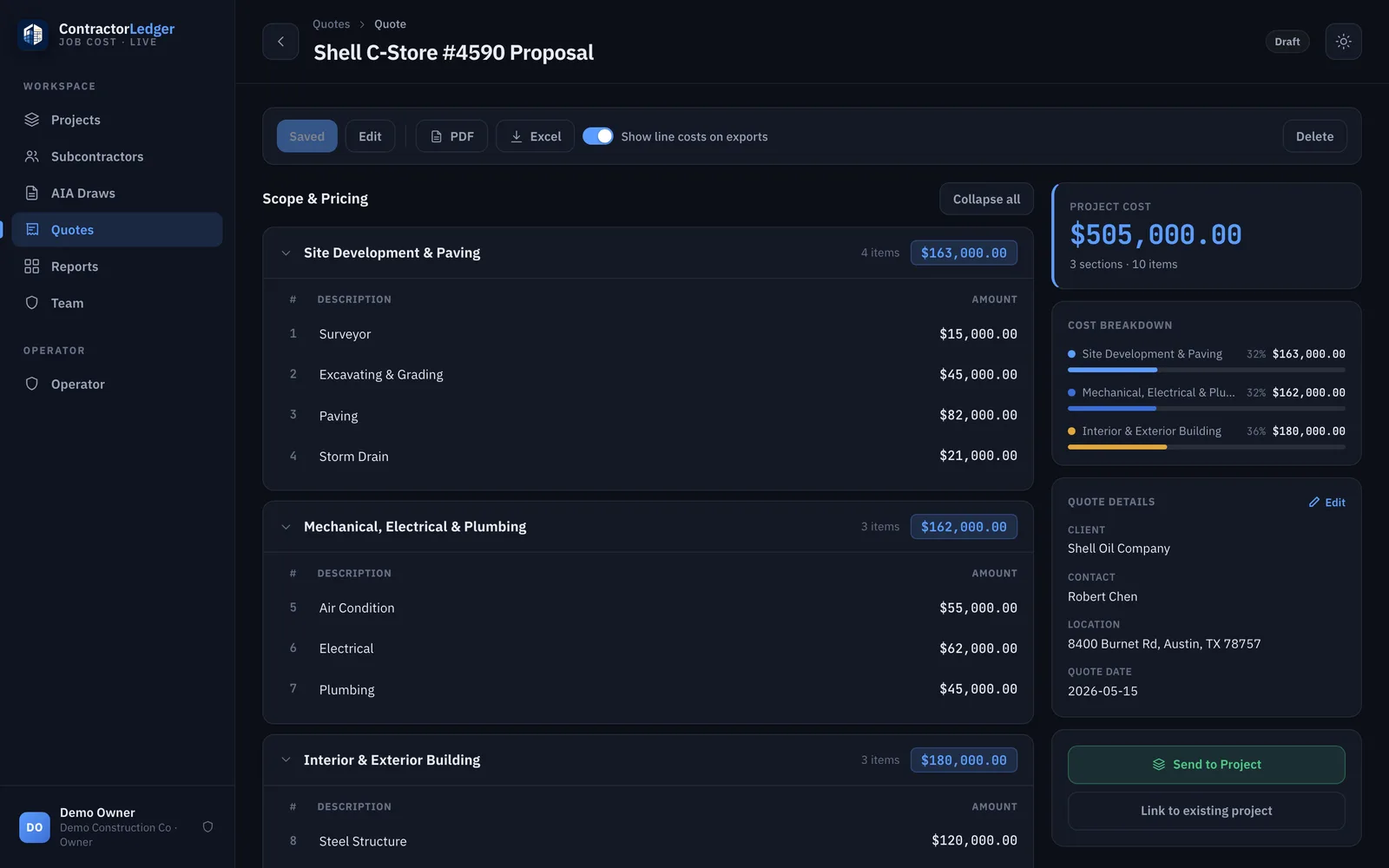
A ContractorLedger quote — scope and pricing broken into sections and line items, with a running project cost and a one-click Send to Project button.
01

Quote → live project in one click

Type the quote once. When you win, one click turns it into a live project — trades, line items, and contract values carried straight through. Nothing re-entered.

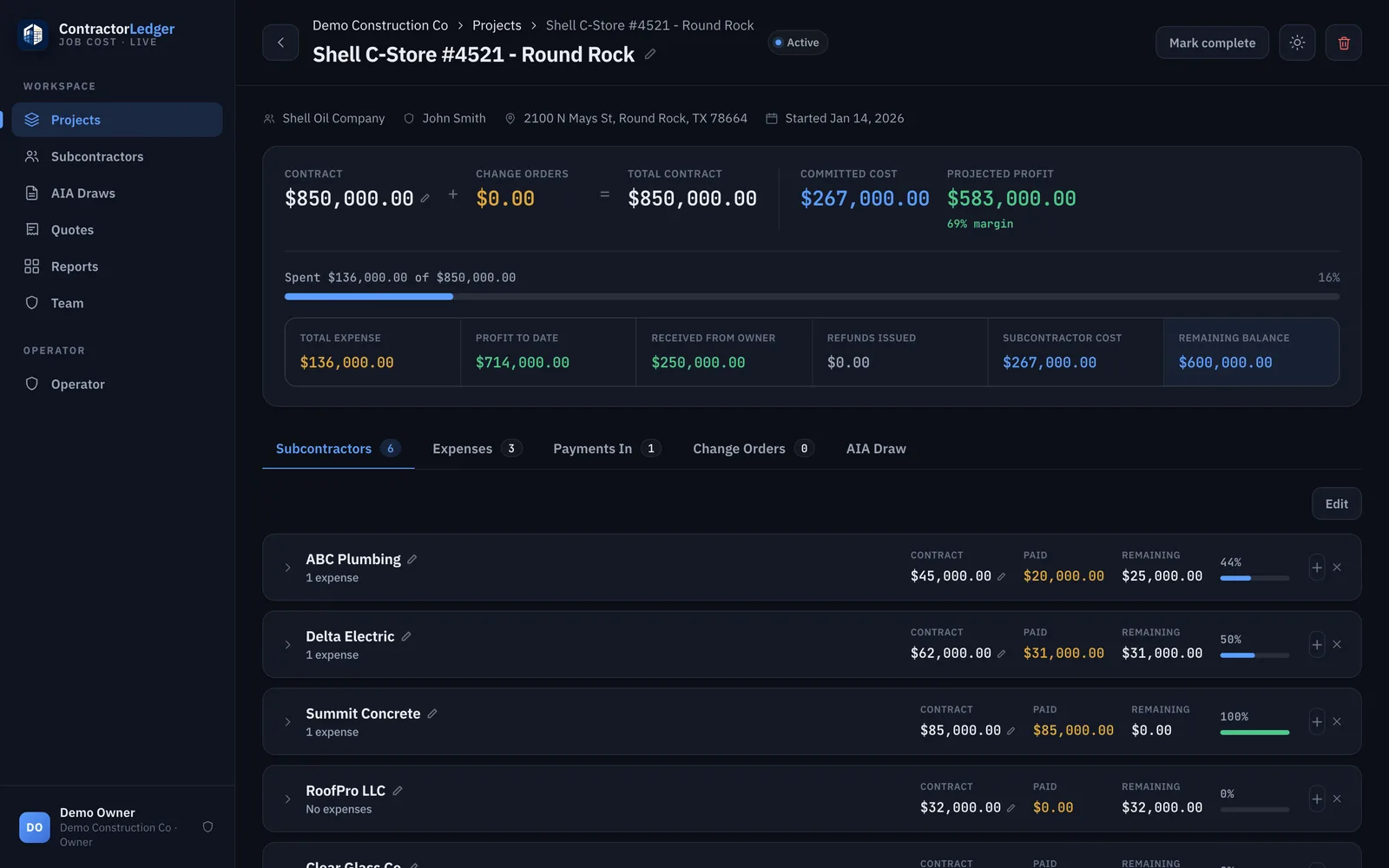
A ContractorLedger project — contract, committed cost, and projected profit up top, with each subcontractor's contract, paid, and remaining tracked below.
02

Job costing that matches how you think

Each sub's contract / paid / remaining at a glance, plus expenses and every payment in and out — so you always know the true position of the job, not last month's guess.

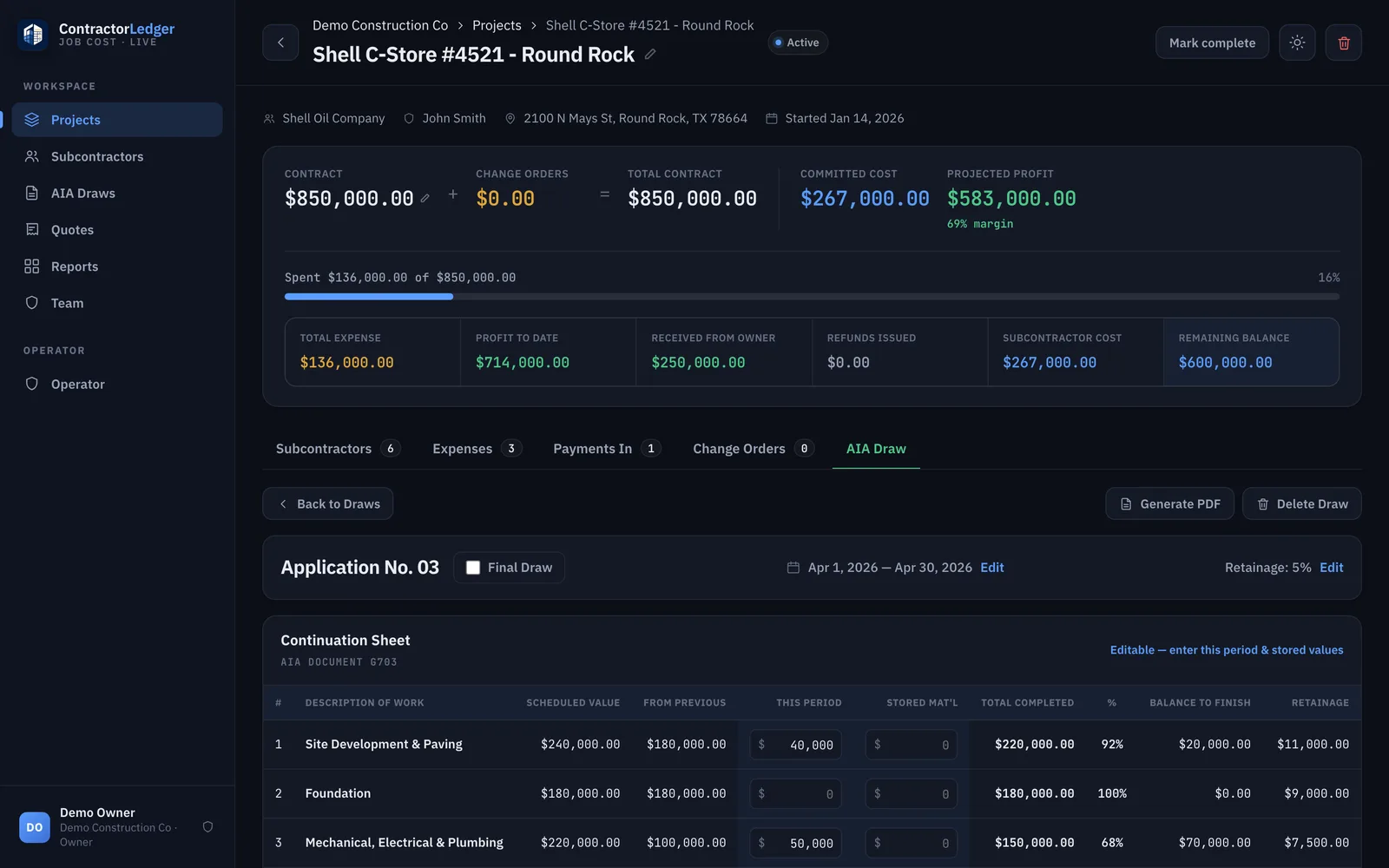
A ContractorLedger G703 continuation sheet — scheduled value, work from previous, this period, percent complete, balance to finish, and retainage calculated per line.
03

AIA G702/G703 draws, retainage built in

Generate proper G702/G703 pay applications from the live job numbers. Retainage is calculated and carried automatically, draw after draw — no more rebuilding the continuation sheet by hand.

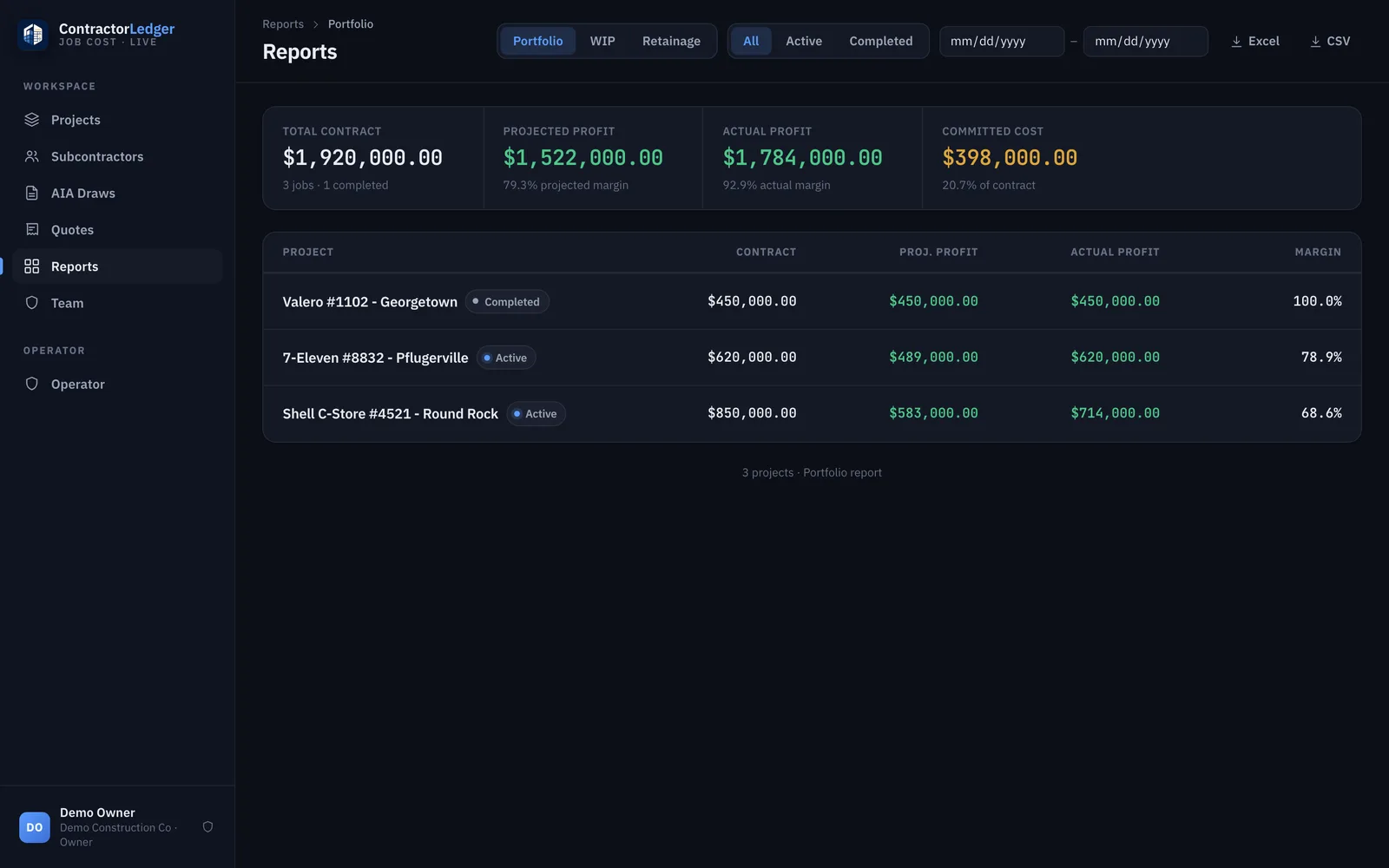
A ContractorLedger portfolio report — total contract, projected and actual profit, and committed cost across every job, with Excel and CSV export.
04

Portfolio reports across every job

Portfolio P&L, work-in-progress, and outstanding retainage across all your jobs — exportable to Excel when your accountant or bonding company asks.

Why it exists

Built on a real GC's kitchen table, not in a boardroom.

ContractorLedger started with the founder's father-in-law — who runs a commercial general contracting firm in Texas. Every month he was rebuilding pay applications by hand in Excel: retyping the schedule of values, re-deriving retainage, hoping the continuation sheet still tied out.

So we built the tool with him, on his real jobs. Now he types the quote once and the job tracks itself — subs, expenses, payments, draws, retainage — all the way to closeout. That same software is what you're looking at.

Common questions

Straight answers before you book.

Do I have to set it up myself?
No. The demo offer is real: you bring a real job folder and we build that job into the system for you, free, during and after the 15-minute demo. It's white-glove onboarding — you leave the call with your own project already live.
Does it replace QuickBooks?
No — it sits alongside your accounting software. QuickBooks tells you what you spent; ContractorLedger tracks where the job stands: each sub's contract, paid, and remaining, retainage held, draws, and projected vs. actual profit per job.
What do the G702/G703 pay applications look like?
Proper AIA-style G702/G703 output, generated from your live job numbers, as both PDF and Excel. Retainage is calculated and carried draw to draw automatically — no rebuilding the continuation sheet by hand.
Is my data safe?
Each company's data is fully isolated, encrypted in transit, and backed up daily, built on Cloudflare's network. You can export everything to Excel or CSV at any time — no lock-in.
Can my PM or bookkeeper use it too?
Yes — it's multi-user with roles. Owners see everything, PMs can be scoped to just their own projects, and viewers get read-only access.
What does it cost?
A simple monthly subscription, priced for owner-run shops — no per-seat games and no annual contract required. We'll go over exact pricing on the demo call.
See it on your own numbers

Book a 15-minute demo.

We'll build one of your real jobs into it, free — so you're not watching a canned demo, you're looking at your own project tracking itself.

Book a 15-minute demo No commitment. Bring a job folder; leave with it live.